Check Design
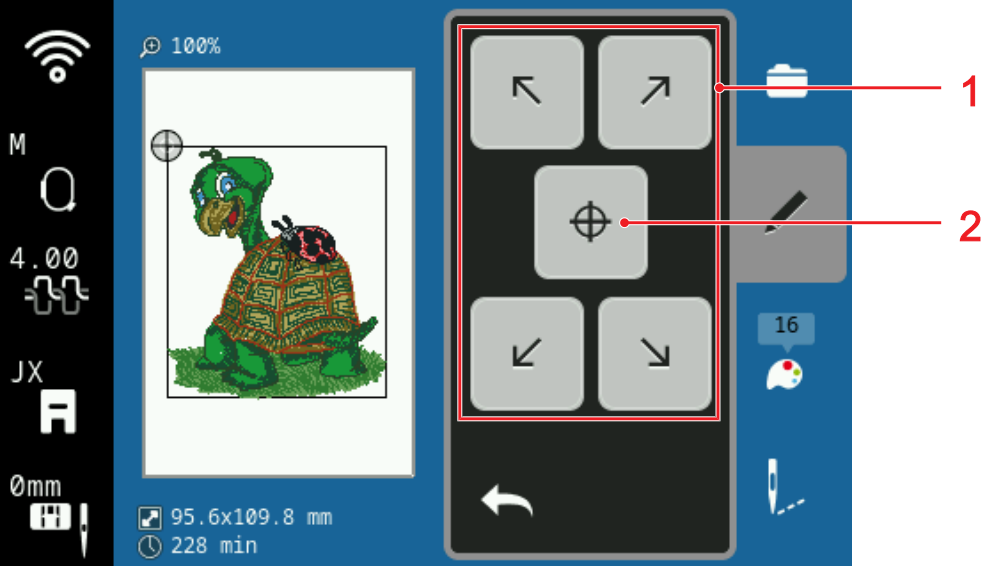
1 | Move Hoop to Position |
2 | Center Design |
With the Check Design function, you can check the intended position of your embroidery design in the embroidery hoop before embroidering and adjust it if necessary.
- A hoop with the hooped project is attached.
Prerequisite:
- Tap an arrow in the Move Hoop to Position area.
- The hoop moves until the needle is located at the selected point of the embroidery design, as long as the point is within the area to be embroidered.
- Check whether the position is correct.
- If necessary, move the embroidery design horizontally and vertically.
- If necessary, check other positions.