Spacer Clamps
Insert the spacer clamps into the smart device holder to securely mount your smartphone or tablet. The clamping jaws of the clamps vary in width. Depending on the gap between the device and the bracket, the clamp should be positioned so that the appropriate clamping jaw (wide or narrow) faces forward.
NOTICE
Damage to the smart device caused by being dropped
If the smart device is too large or not inserted correctly, it may fall out of the holder and be damaged.
- Use only devices that are 8 – 12 mm thick.
- Check that the smart device is securely seated in the holder.
- Be aware of the angle of inclination:
- for 8 mm thickness, max. 19°
- for 12 mm thickness, max. 10°
- Insert the smart device into the smart device holder.
- If necessary, place the spacer clamps behind the device onto the holder so that the markings on the spacer clamps and the holder align.
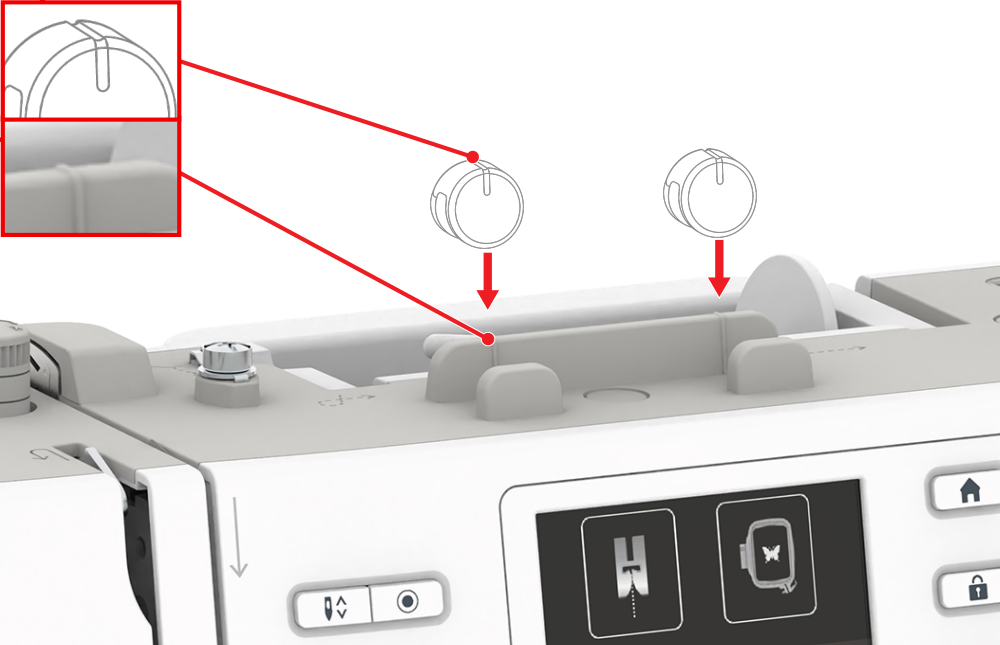
- Check that the smart device is securely seated in the holder.