Selecting the Needle in the User Interface
After changing the needle, you can check whether it can be used with the selected stitch plate.
- Tap the Needle Selection or Stitch Plate/Needle Selection icon.
- Select the fitted needle.
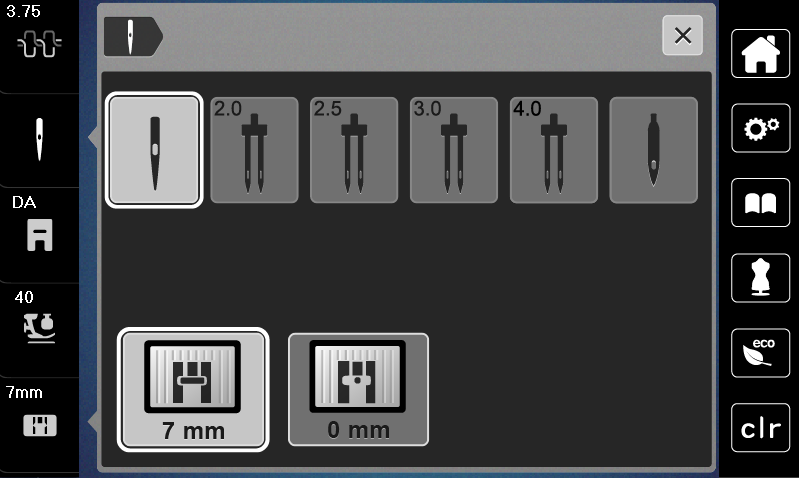
- When the selected needle matches the selected stitch plate and the presser foot, sewing can be started.
- If the selected needle does not match with the stitch plate, a red exclamation mark will appear on the display.