Right Controls
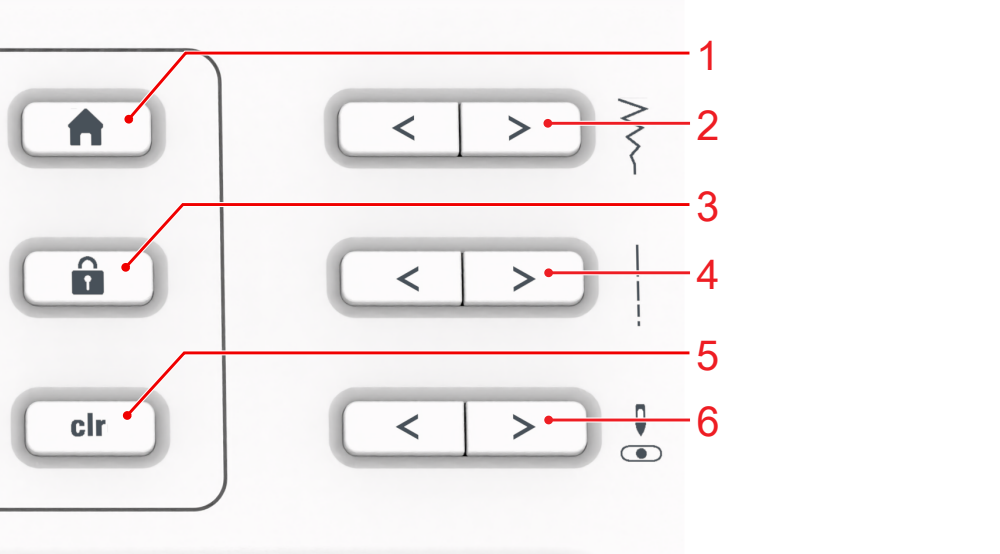
1 | Home Screen | 2 | Stitch Width |
3 | Lock | 4 | Stitch Length |
5 | Reset | 6 | Needle Position Left/Right |
Home Screen
Use the button Home Screen to go to the start page, for example, to switch the mode. Home Screen
Stitch Width
By pressing the button Stitch Width, you can set the stitch width and the values of a function.
Stitch Length
By pressing the button Stitch Length, you can set the stitch length and the values of a function.
Needle Position Left/Right
You can use the Needle Position Left/Right buttons to move the needle to the left or to the right.
The needle position is shown on the sewing screen. Negative values indicate a movement to the left, positive values a move to the right.