Editing Functions
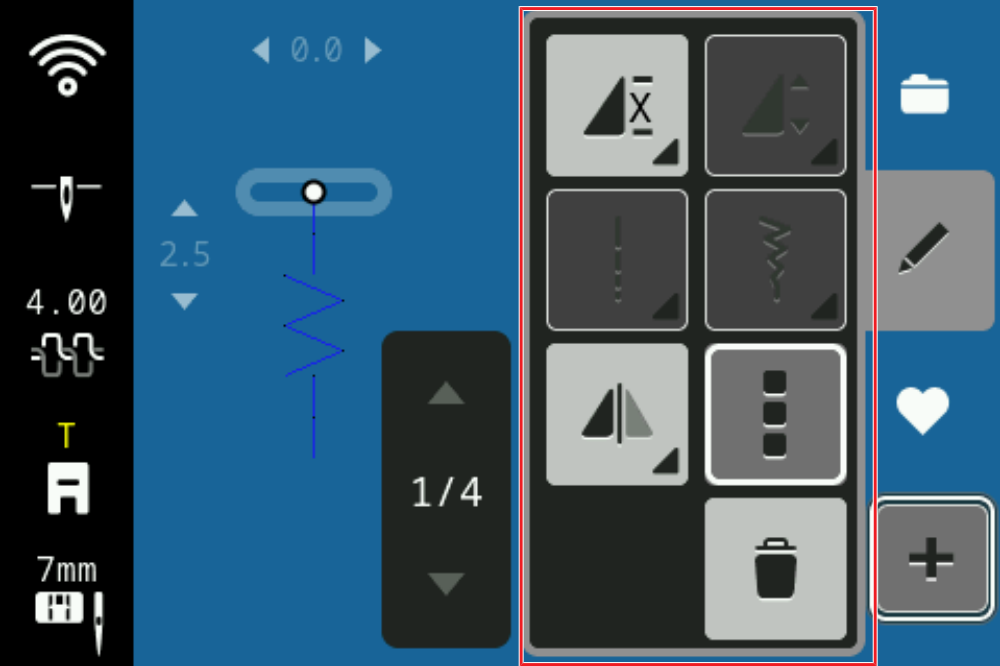
With the Edit function, you can edit individual stitch patterns or whole stitch pattern combinations.
By tapping the function Combi Mode , the additional functions in the menu editing functions are activated to edit individual stitch patterns, several stitch patterns or the complete stitch pattern combination.
Delete
Sewing ► Combi Mode ► Edit ► Delete
With the Delete function, you can remove the selected stitch pattern from the combination.
Editing a Stitch Pattern Combination
Sewing ► Combi Mode ► Edit ► Editing a Stitch Pattern Combination
With the Editing a Stitch Pattern Combination function, you can edit complete stitch pattern combinations.