Changing the Needle
- Lower the presser foot.
- Raise the needle.
- Lock the screen.
- Loosen the screw on the needle and pull the needle downwards.
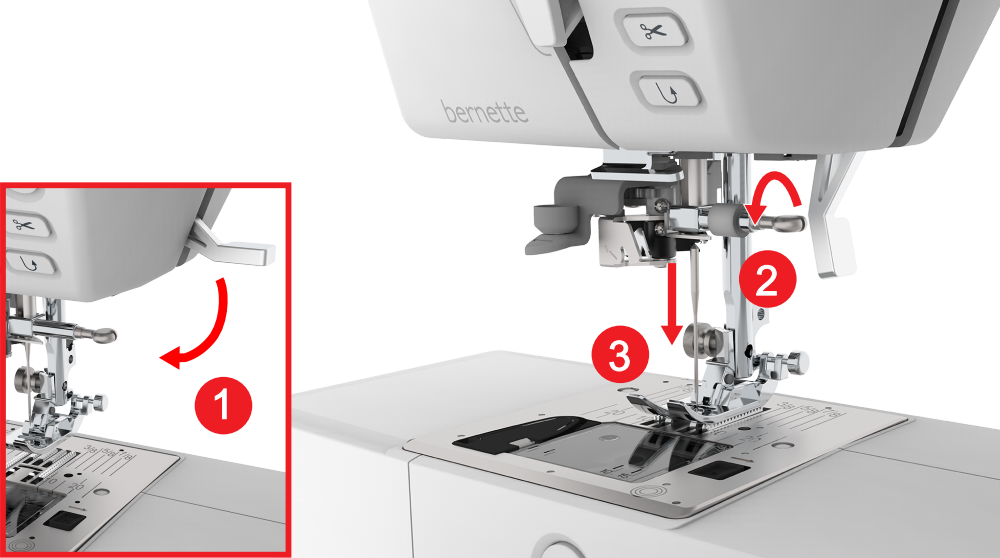
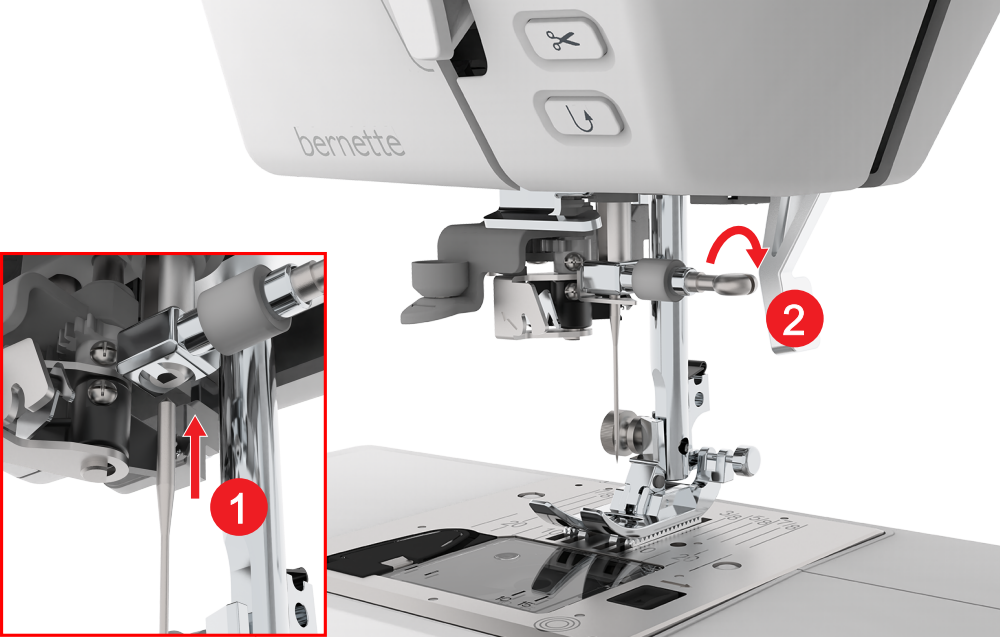
- Insert and push the new needle with the flat side to the back as far up as it will go into the needle holder and hold it in place.
- Tighten the screw.
- Unlock the screen.
- In the status bar, tap Stitch Plate and Sewing Needle
 and select the fitted needle in the Needle Overview section. Stitch Plate and Sewing Needle