Editing Functions
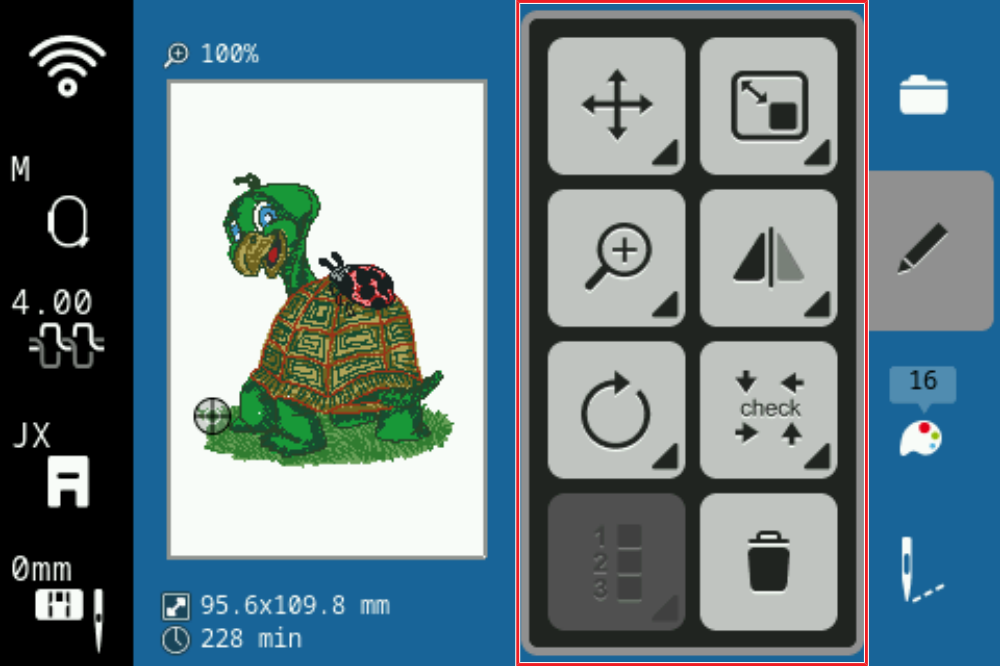
Move
Embroidery ► Edit
 ► Move
With the Movefunction, you can move the selected layers.
With the Center function, you can position the layers in the center of the hoop.
Tip
You can also move the layers directly in the design preview, e.g. using finger gestures or the multi-function buttons.
Resize
Embroidery ► Edit ► Resize
With the Resize function, you can modify the size of the selected layers. In the default setting, the length and width is changed proportionally.
Tip
For best results, do not enlarge or reduce the layers by more than 20 %.
Mirror Left/Right
Embroidery ► Edit ► Mirror Left/Right
With the Mirror Left/Right function, you can mirror the selected layers along the vertical axis.
Mirror Up/Down
With the Mirror Up/Down function, you can mirror the selected layers along the horizontal axis.